

Lifecycle Tracking
The primary market moves through distinct operational phases. Use the main navigation tabs at the top right of the dashboard to isolate companies based on their current issuance status. Click through the tabs below to explore the different data layouts for each market phase:- Active Offers (Open)
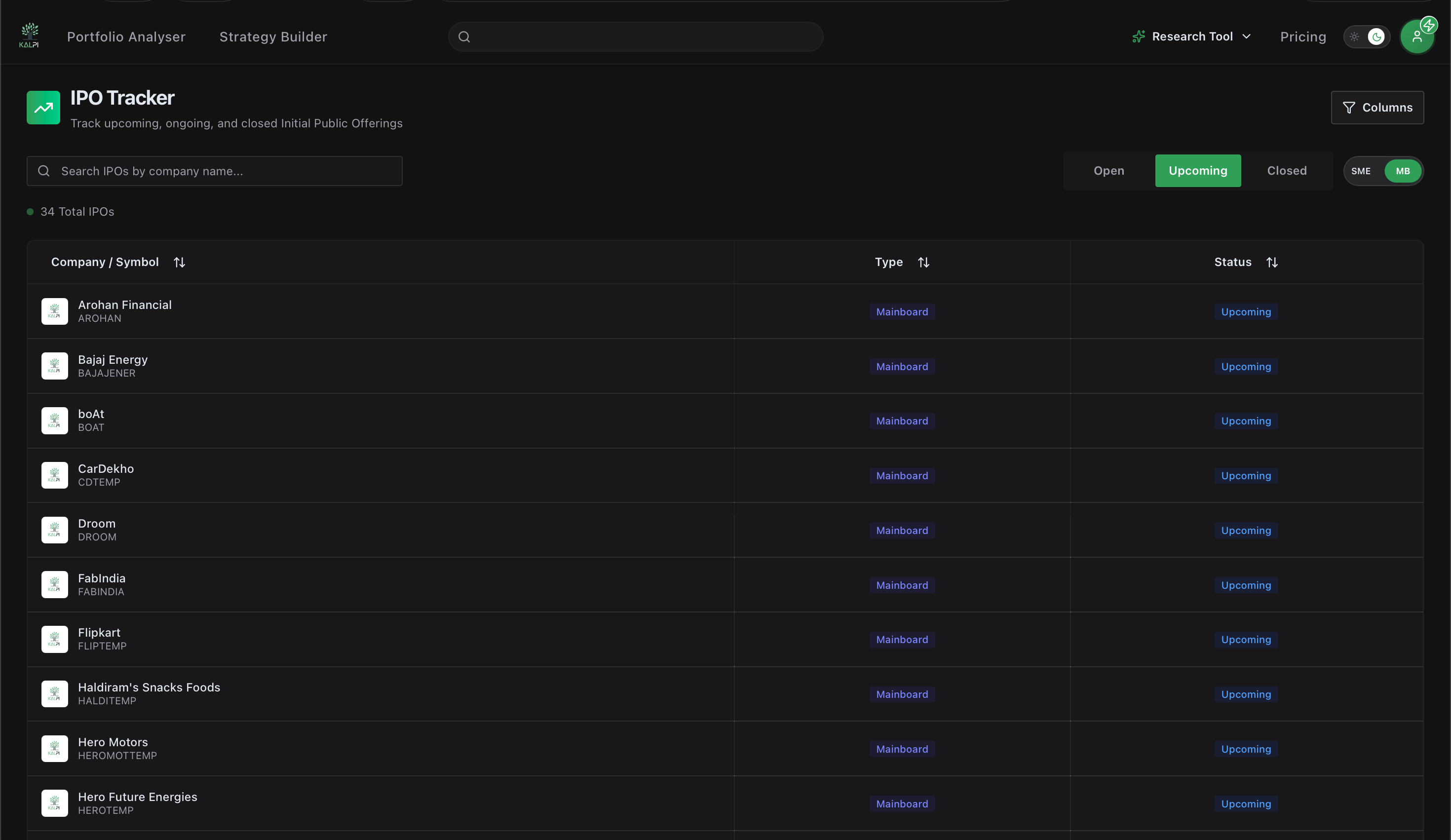
- Pipeline (Upcoming)
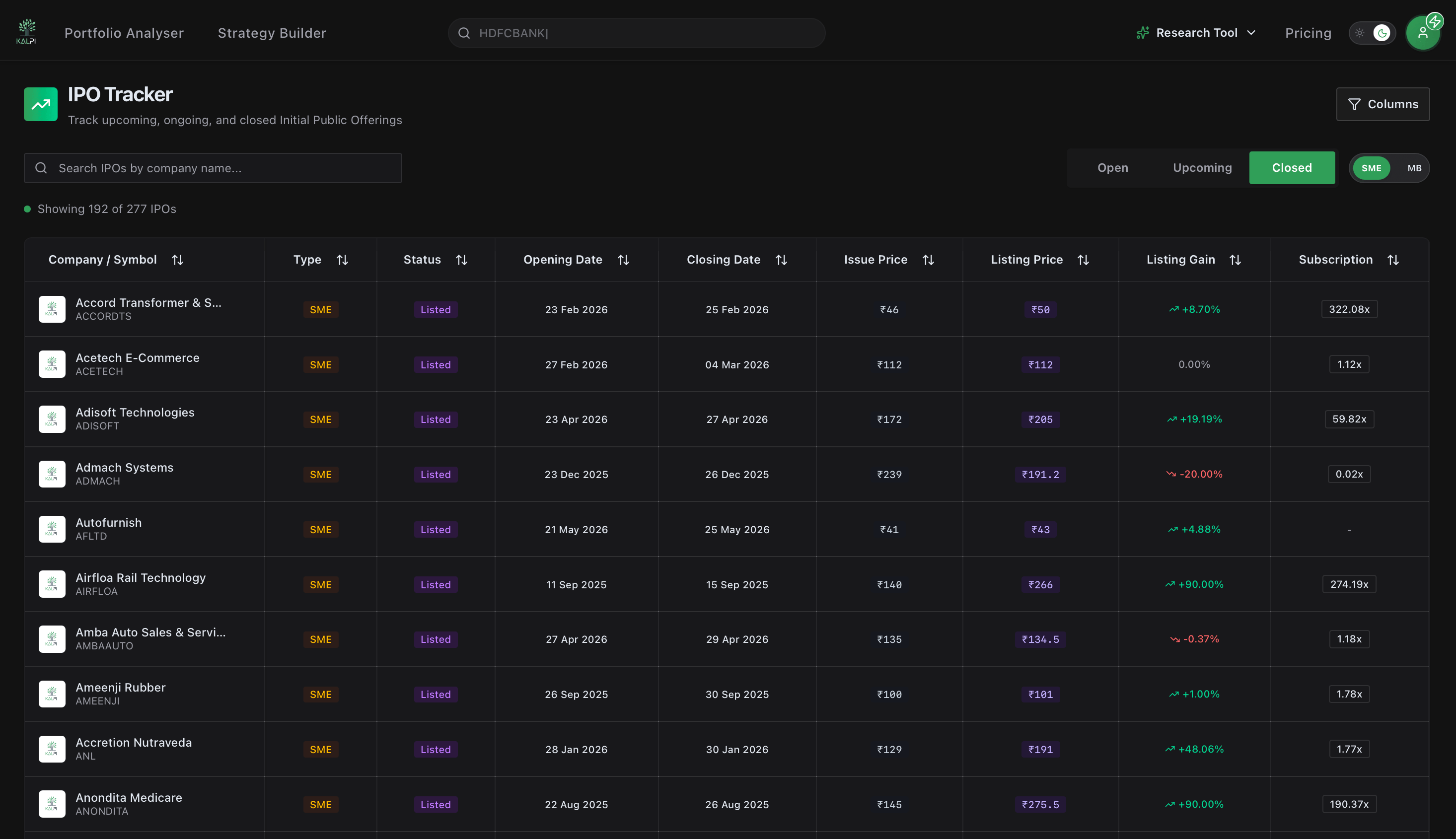
- Historical Metrics (Closed)
When an issue goes live for public bidding, the dashboard prioritizes immediate supply-demand dynamics.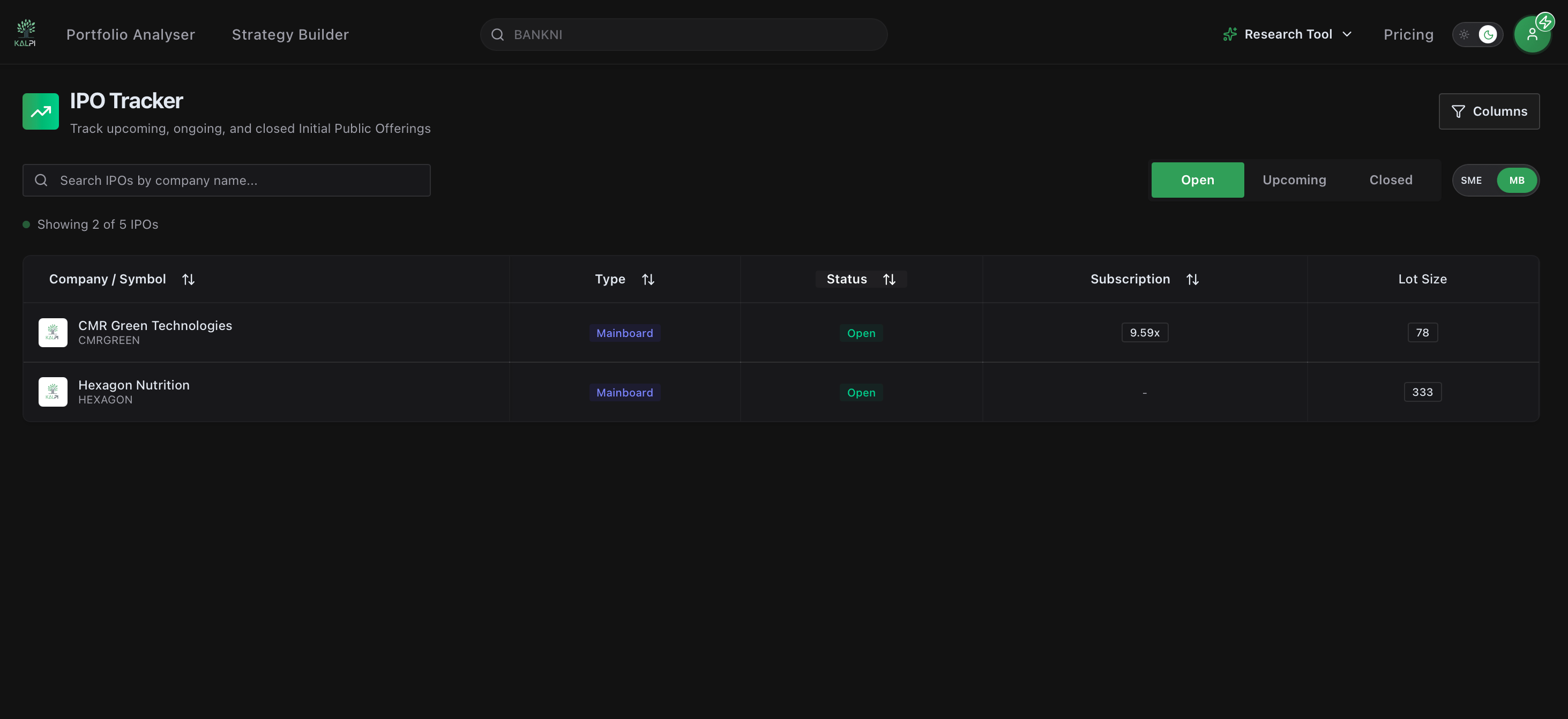
Key Data Focus:
- Subscription Multiples: Track real-time bidding intensity across institutional, non-institutional, and retail categories (e.g., 5.03x).
- Lot Size Requirements: View the baseline application thresholds and minimum share commitments required to submit a valid bid.
Workspace Controls & Parameters
Understanding the core variables in the tracking matrix ensures you are analyzing the right capital parameters. We’ve defined the critical data fields below:String
The verified exchange trading ticker and corporate name of the issuing entity.
Tag
Differentiates institutional public issues from small-and-medium enterprise offerings. Mainboard listings track large-cap issuances, while SME items (highlighted via distinct orange/yellow indicators) reveal micro-cap growth plays featuring higher initial lot size requirements.
Dates
Displays precise date tags for both Opening Date and Closing Date windows to mark the exact duration of the bidding market block.
Decimal
Reflects the total book-building demand relative to the shares offered, serving as a clean metric for structural institutional interest.
Custom Layout Filtering
The terminal features an adaptive configuration panel at the top right to instantly filter out market noise and customize your workspace: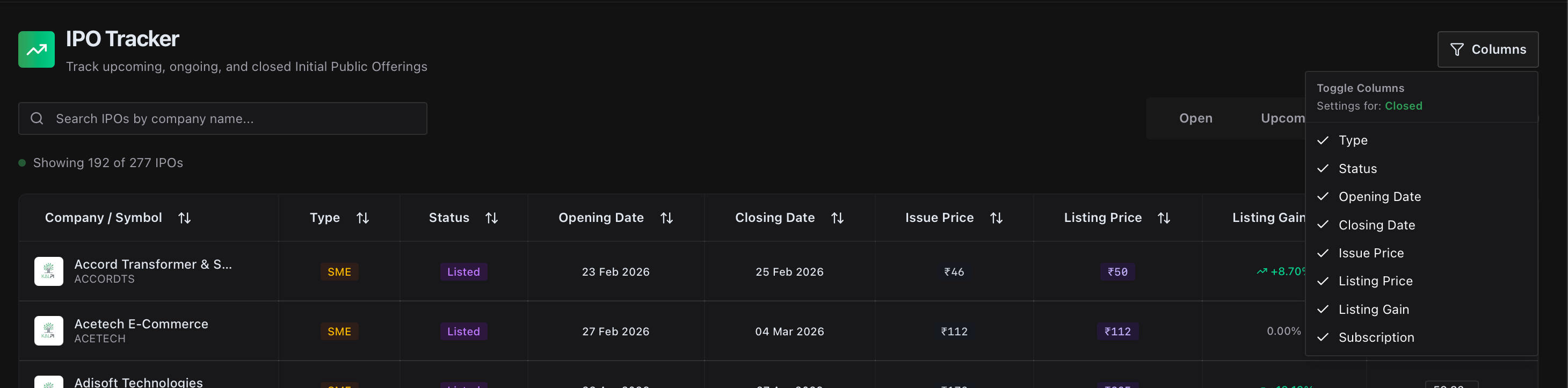
- Unified Input Search: Query by specific company keywords or symbol tags to pull historic or impending registration filings immediately.
- Context-Aware Grid Configuration: Click the Columns utility button. The dropdown panel automatically recognizes which lifecycle tab you are actively viewing (Open, Upcoming, or Closed) and changes its available checkbox filters dynamically. This allows you to toggle off administrative indicators like absolute Type or Status to clear up screen real estate and lock your focus on pricing data.