

Interactive Feature Breakdown
Expand the sections below to explore the internal filtering engines, understand the compliance parameters of each deal segment, and view the corresponding interface layouts.1. Deal Segment Selector (Bulk vs. Block)
1. Deal Segment Selector (Bulk vs. Block)
The terminal categorizes massive institutional trades into two distinct exchange-regulated buckets. Toggling between them automatically rewrites the underlying dataset and adjusts the real-time deal counters.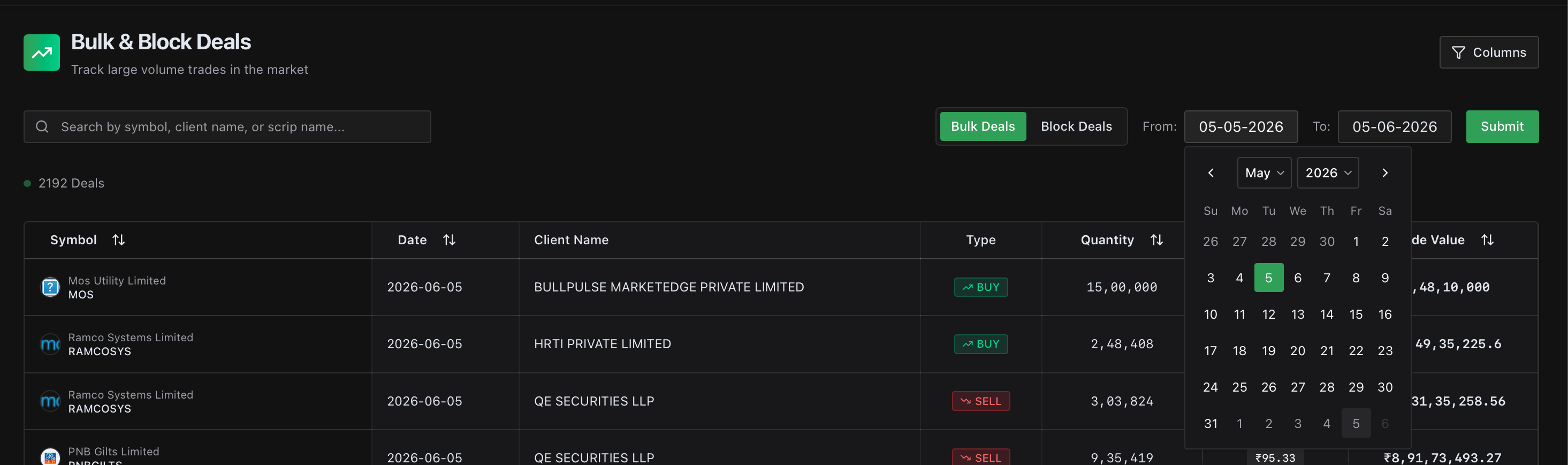
Core Mechanics & Guidelines:
- Bulk Deals: Tracks transactions where the total quantity of shares bought or sold exceeds 0.5% of the company’s total listed equity shares. These can occur during normal regular market hours.
- Block Deals: Isolates massive, single-transaction blocks that feature a minimum trade value of ₹20 Crores or more. These are executed through a dedicated, single-transaction window during specific morning trade frames.
- Live Volume Counter: The segment tags dynamically display the exact number of qualifying deals discovered within your filtered timeframe (e.g., 2192 Deals vs. 318 Deals).
2. Advanced Search & Date Control Engine
2. Advanced Search & Date Control Engine
Narrow down thousands of daily market movements into a precision-targeted institutional watchlist using the multi-variable global search bar and calendar controls.
Core Mechanics:
- Multi-Variable String Filter: Type directly into the unified global search bar to instantly isolate trades by Symbol Ticker (e.g., LENSKART), Client Name (e.g., SBI MUTUAL FUND), or specific corporate scrip names.
- Chronological Range Modifiers: Select the From / To calendar fields to establish a precise rolling historical window. Evaluate massive deal alignments around historical earning seasons or specific macroeconomic triggers.
- Execution Trigger: Click the green Submit button to instantly apply your custom calendar criteria across the server database.
3. Institutional Transaction Ledger Table
3. Institutional Transaction Ledger Table
Review a beautifully organized financial audit grid mapping the exact transactional execution parameters of institutional funds and high-net-worth participants.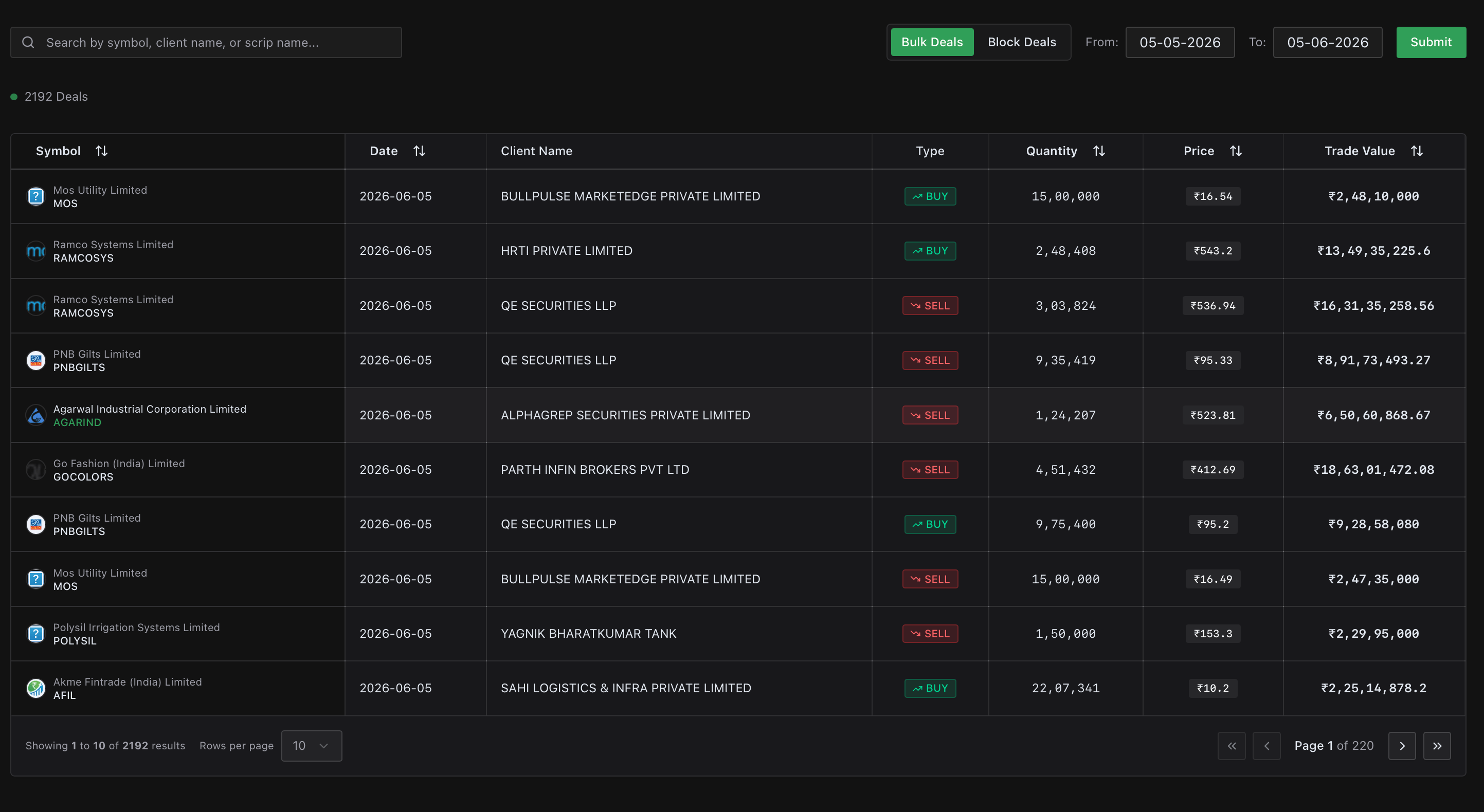
Core Mechanics:
- Action Matrix Tags: Identify institutional intention immediately via color-coded trade labels tracking clear BUY (green text) and SELL (red text) action directions.
- Granular Valuation Variables: Audit exact execution parameters across key data columns, including:
- Symbol & Date: Clear corporate ticker markings and specific execution calendar stamps.
- Client Name: Explicit transparency showing the exact fund, institutional asset manager, or sovereign wealth vehicle executing the position.
- Quantity & Price: The absolute volume of shares swapped alongside the weighted-average execution price per share.
- Trade Value: The aggregate total monetary valuation of the completed block.
- Personalized Layout Grid: Click the Columns dropdown at the top right of the ledger table to cleanly toggle specific variables on or off depending on your active viewport preference.
- Pagination Engine: Use the bottom page controls (
< Page X of Y >) and the rows-per-page selector to smoothly navigate large historic data environments.