

1. Adding Stocks to Your Basket
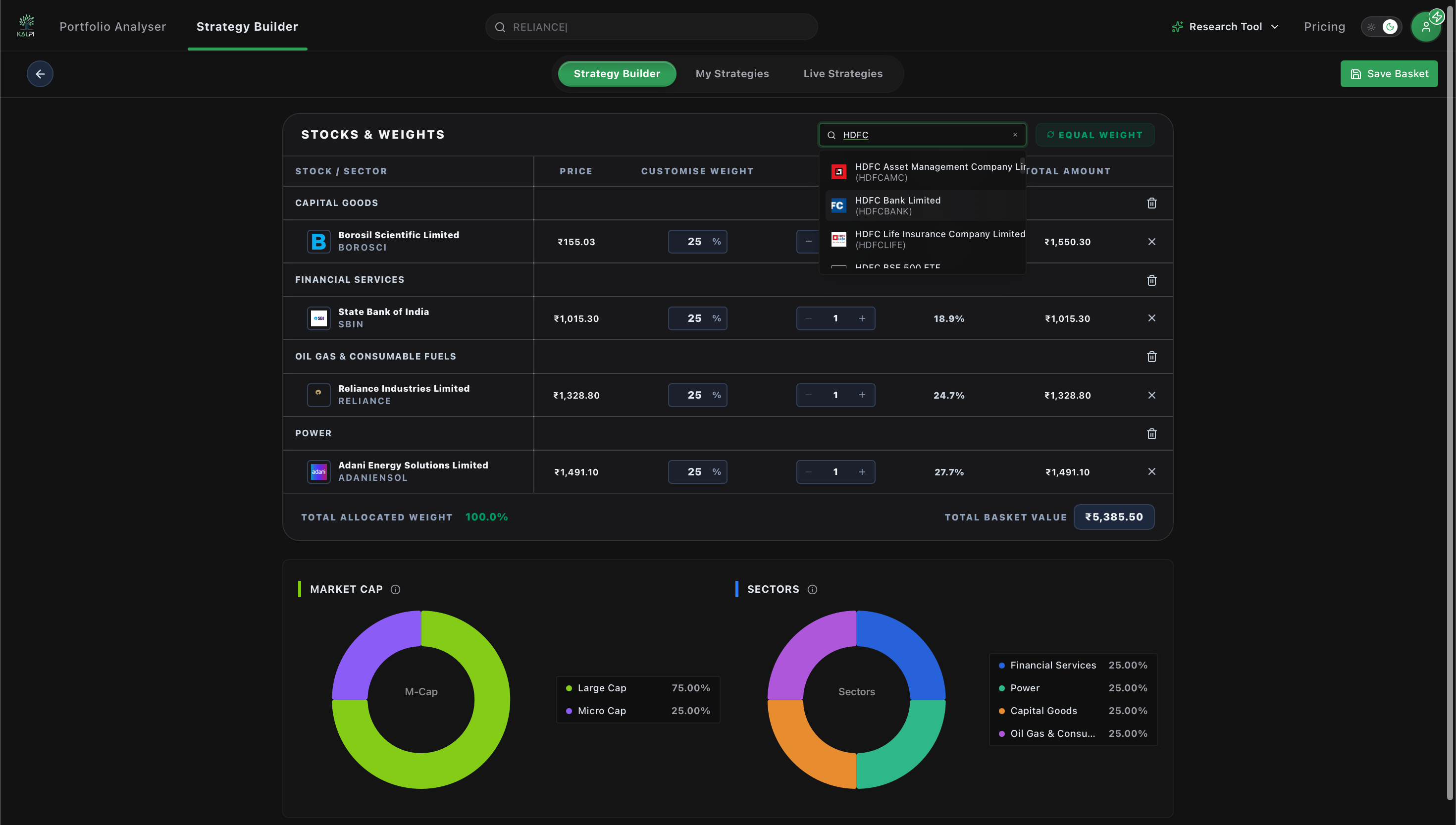
When you open the Static Basket builder, you will start with a blank “Stocks & Weights” canvas.- Use the Quick add stock search bar at the top right to search for specific companies (e.g., Reliance, Adani, Vedanta).
- Select the desired stock from the dropdown menu to instantly add it to your portfolio list.
- As stocks are added, the interface displays their current price, your target weight, the required quantity, and the total real-time basket value.
2. Allocating Target Weights
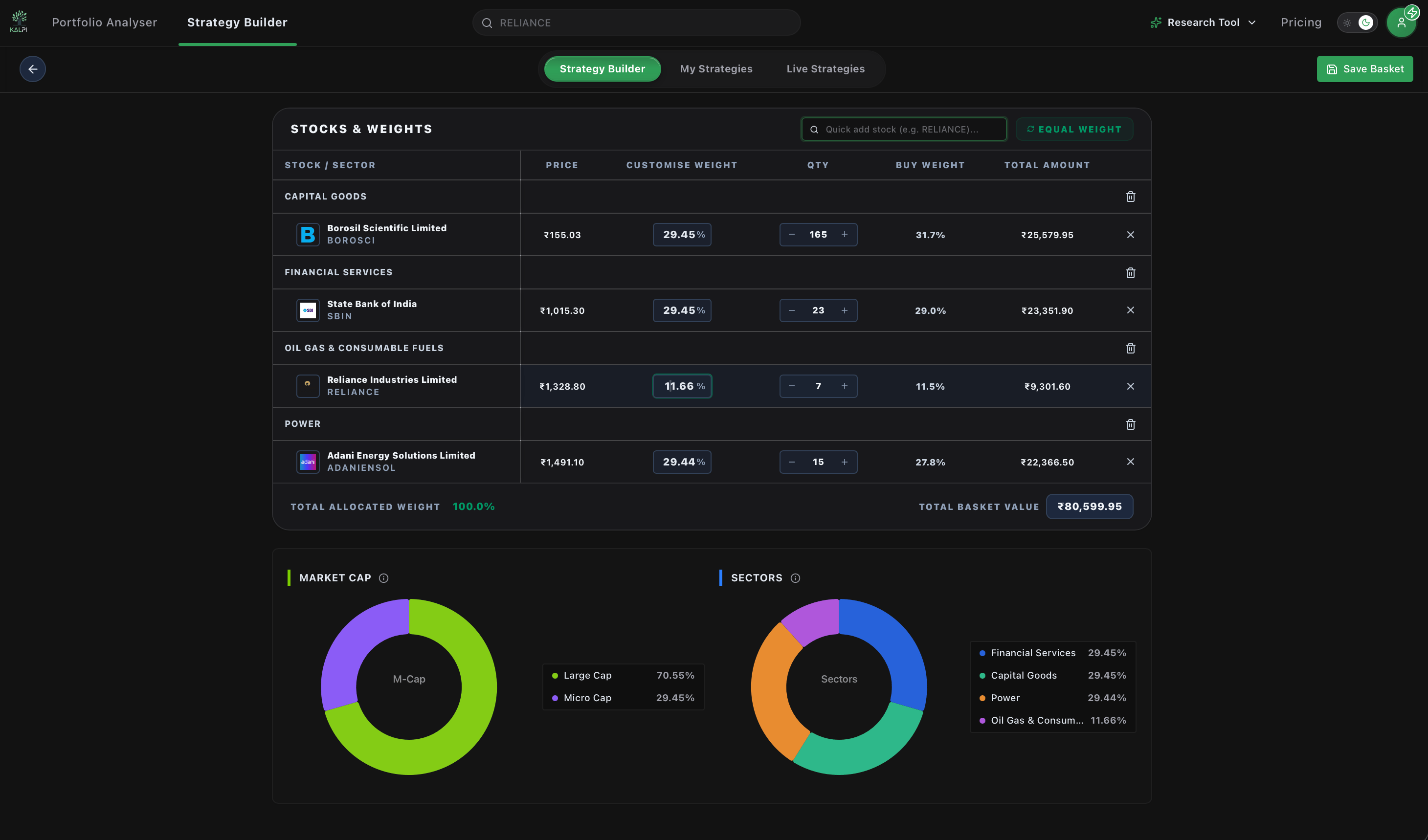
Once you have your desired stocks in the list, you must decide how your capital is distributed across them:- Custom Weights: Manually adjust the “Customise Weight” percentage or the exact “Qty” (Quantity) fields for each individual stock. The system will automatically calculate the required capital for that line item.
- Equal Weight: Click the green Equal Weight button located at the top right. Kalpi will automatically distribute the weights evenly across all the assets in your basket (e.g., 33.33% each for 3 stocks) and display an “Equal weights applied” confirmation message.
3. Monitoring Your Structural Exposure
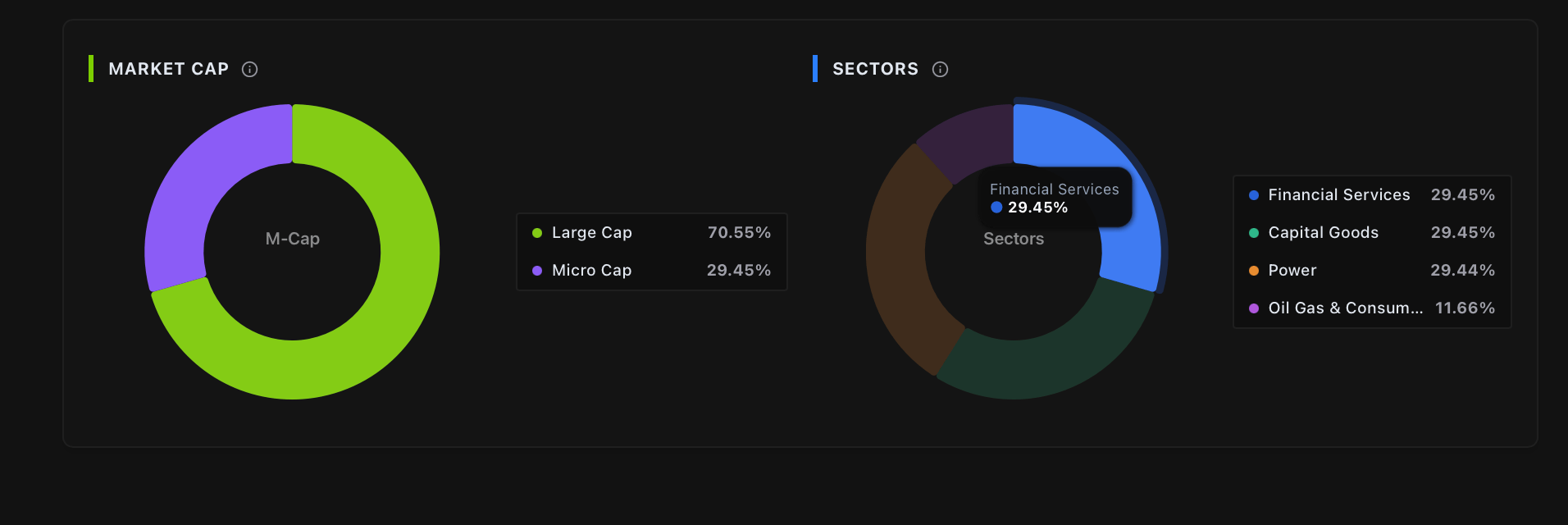
As you adjust your stock selection and target weights, Kalpi’s engine provides real-time visual analytics at the bottom of the screen. This ensures you aren’t unintentionally taking on concentrated risk before you deploy your capital.- Market Cap Distribution: A donut chart displays your portfolio’s exact exposure across different market capitalizations (e.g., Large Cap vs. Micro Cap).
- Sector Allocation: A separate donut chart breaks down your portfolio’s exposure to different industry sectors (e.g., Power, Metals & Mining, Oil & Gas).
4. Saving and Drift Management
Once your “Total Allocated Weight” reaches exactly 100.0%, click the Save Basket button in the top right corner to finalize your portfolio.Understanding Target Weights vs. Drift: Because this is a static basket, your target weights (e.g., 50% Reliance, 50% Adani) are structurally fixed. However, as the market moves, the actual value of those stocks will fluctuate, causing your portfolio’s real-time weight to “drift” (e.g., it might become 55% Reliance, 45% Adani).Kalpi tracks this drift automatically and will alert you when it is time to trigger a Drift-Based Rebalance to restore your original intended targets!