

Importing Your Portfolio
At the top right of the dashboard, you can seamlessly toggle between two different portfolio modes using the dropdown menu:1. Connected Brokers
Securely sync your live portfolio via our read-only API (e.g., Zerodha, Upstox). This ensures your analytics are always automatically up-to-date with your latest live trades.
2. Virtual Portfolios
Create isolated virtual portfolios to manually track outside assets, test hypothetical allocations, or upload historical data before committing real capital.
Setting Up a Virtual Portfolio
If you choose not to connect a live broker, setting up a Virtual Portfolio allows you to analyze any basket of stocks instantly.1
Create & Name
Select Virtual Portfolio from the top right dropdown menu, then click the Update button next to it. Select Add a New Virtual Portfolio and give your custom basket a name.
2
Choose Import Method
You have two distinct ways to populate your virtual portfolio:
- CSV Upload: Have your holdings in a spreadsheet? You can instantly upload multiple investments at once using our pre-defined CSV file format.
- Virtual Entry: Want to build it manually? Select this to directly search for Stock Symbols one by one and input your exact Quantity and Average Price.
3
Analyze
Once your stocks are entered or uploaded, click the green Analyze Portfolio button. Kalpi will instantly generate an institutional-grade dashboard based on those exact holdings.
Portfolio Health & SWOT Analysis
Once your portfolio is loaded (either live or virtual), Kalpi runs an immediate diagnostic check to evaluate the overall health of your investments.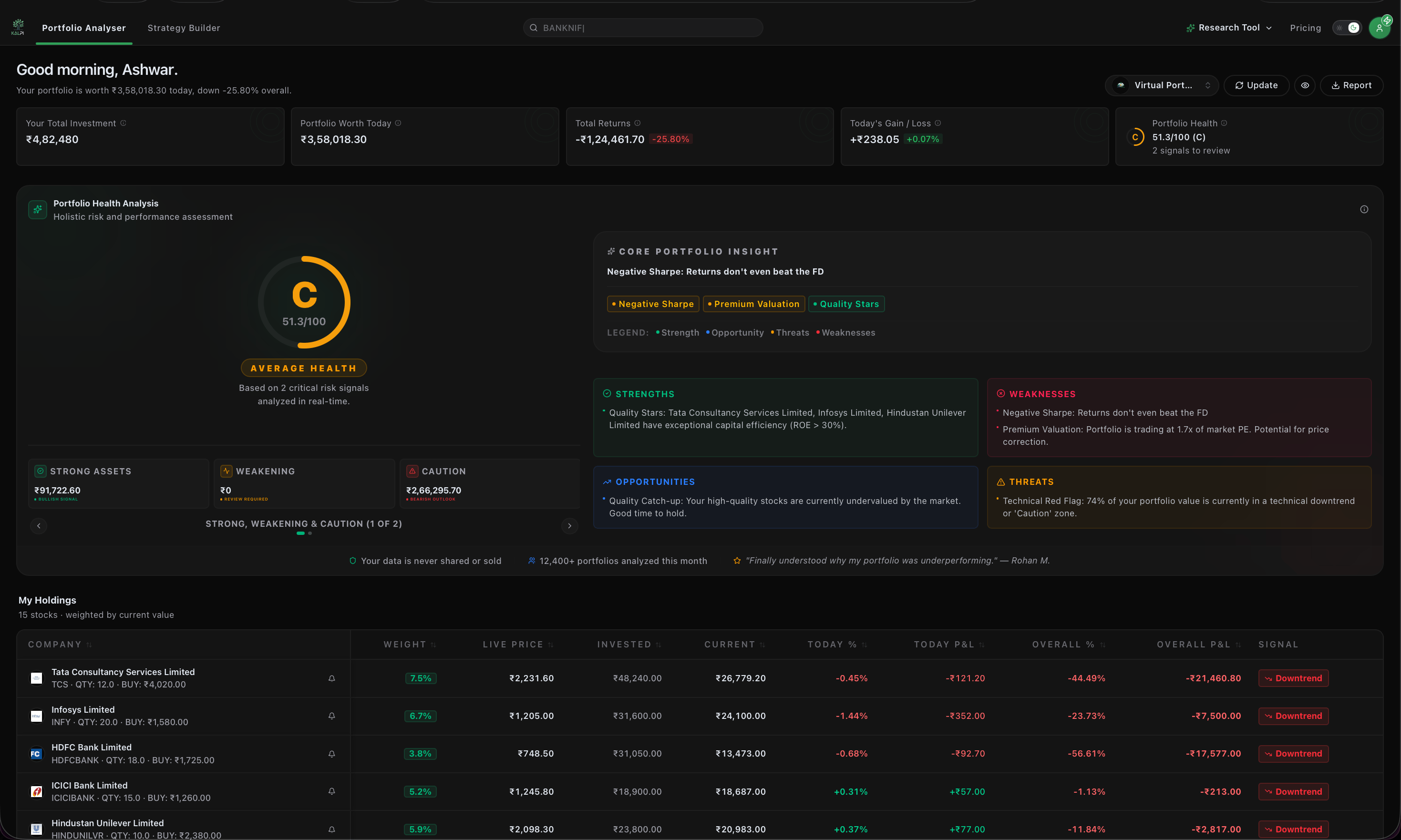
- Health Score: Your portfolio is graded on a scale of A to F based on critical risk signals, asset quality, and historical performance.
- Core Portfolio Insights (SWOT): Our engine generates a personalized, text-based diagnostic report highlighting your portfolio’s Strengths (e.g., high-quality compounders), Weaknesses (e.g., negative ROE stocks), Opportunities (e.g., diversification gaps), and Threats (e.g., over-concentration in specific sectors).
Deep-Dive Analytics
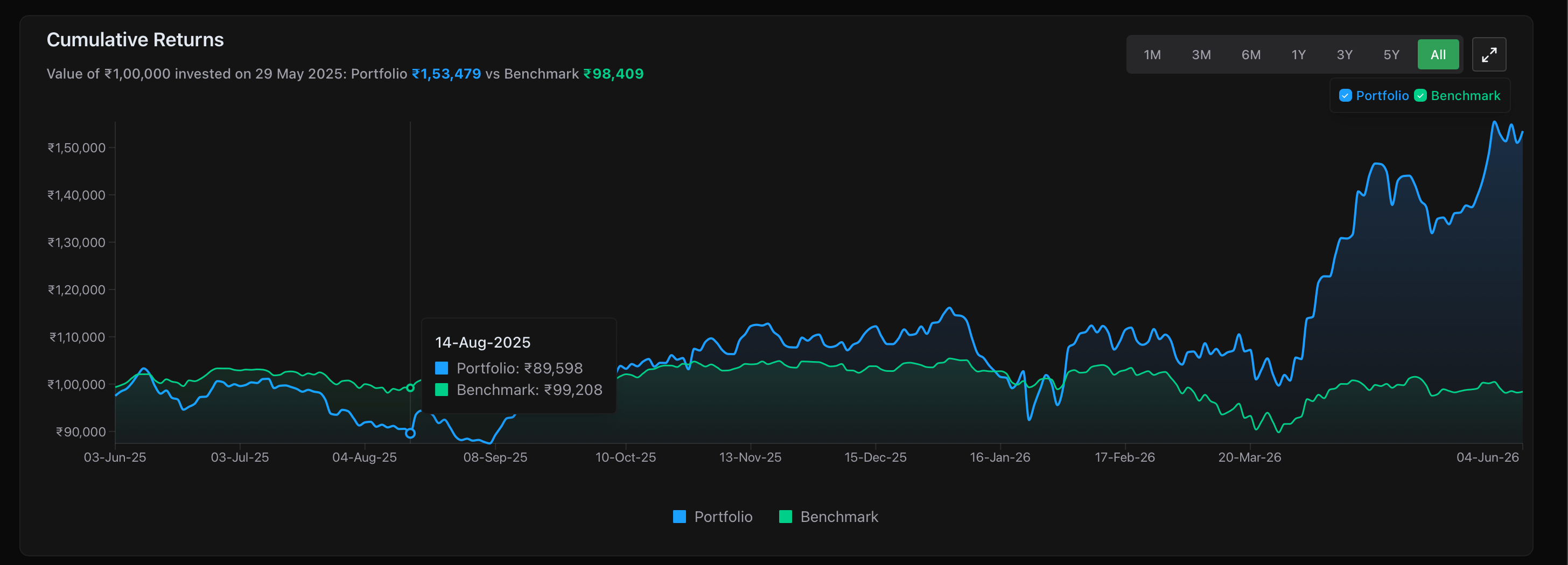
Scrolling past the initial health check unlocks a suite of quantitative tools typically reserved for institutional hedge funds.Performance & Benchmarking
Performance & Benchmarking
Fundamentals & Valuation
Fundamentals & Valuation
Are you overpaying for your current assets? View aggregate P/E Ratios, P/B Ratios, and Dividend Yields compared strictly against the benchmark. The Portfolio Valuation Map and interactive pie charts also give you a bird’s-eye view of your Market Cap and Sector allocations.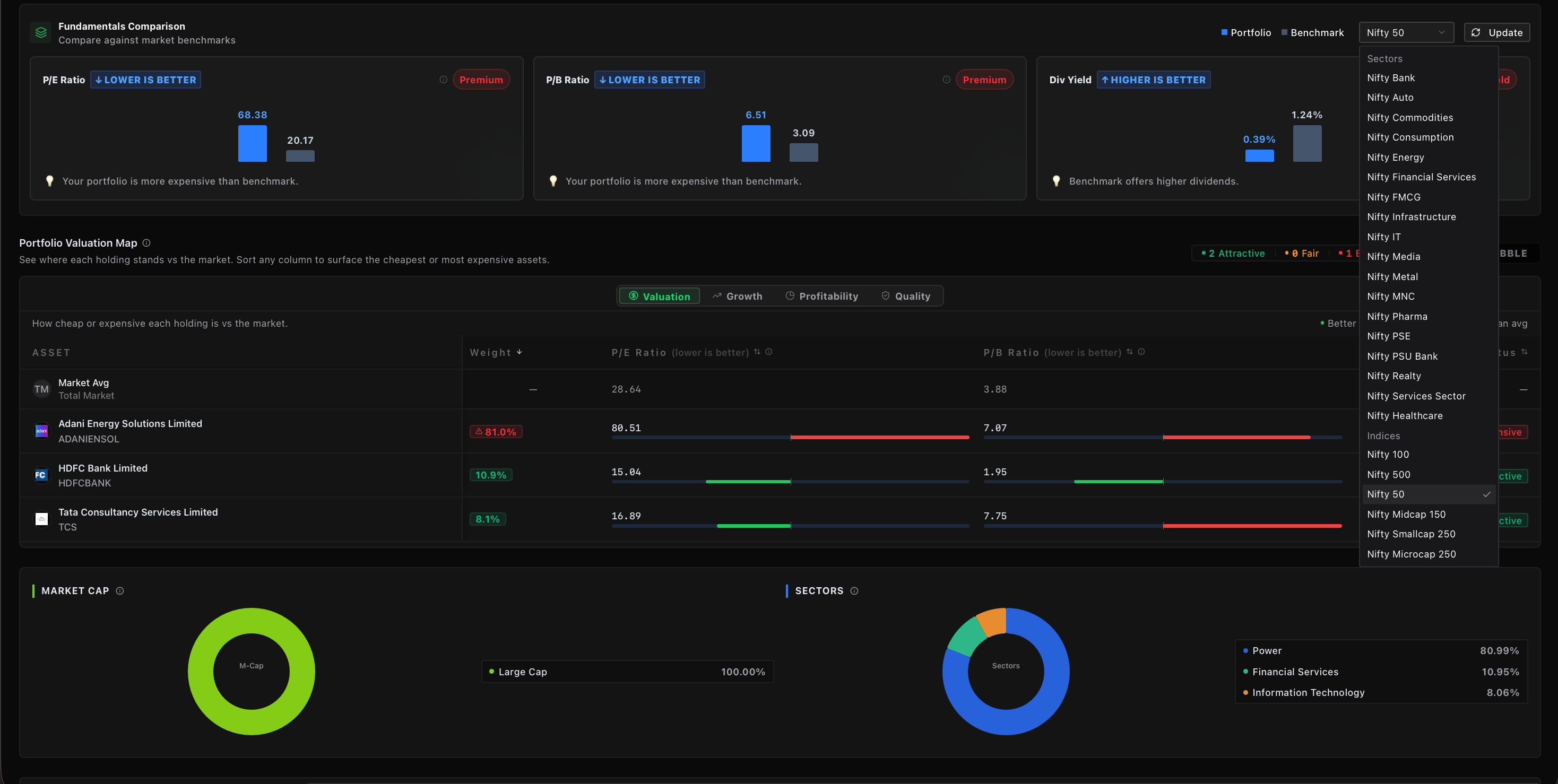
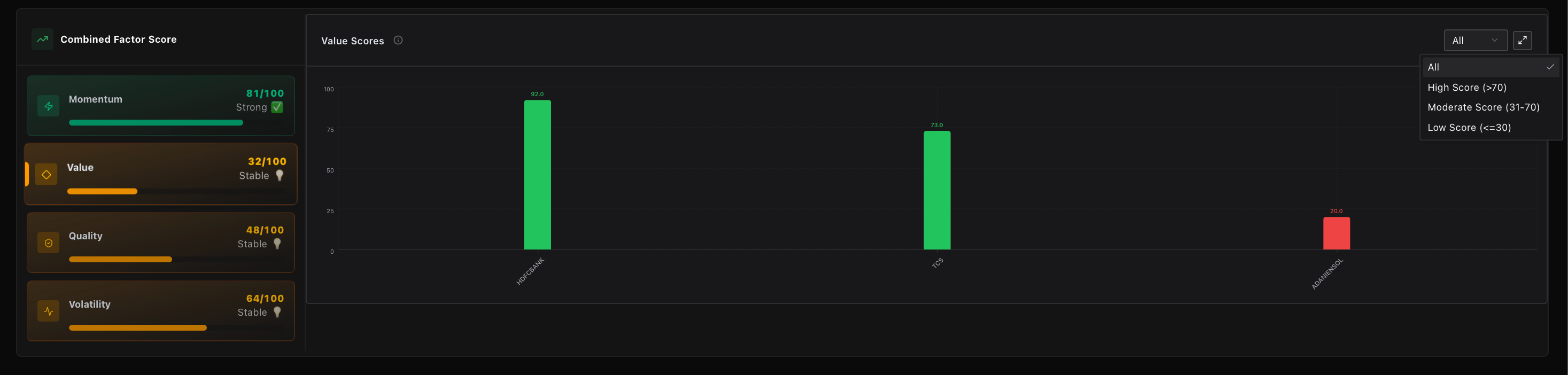
Factor Diagnostics
Factor Diagnostics
Risk & Correlation
Risk & Correlation
A truly diversified portfolio needs assets that do not move identically. Kalpi provides a live Asset Correlation Matrix (heatmap) to warn you if your stocks are highly correlated (greater than 85%), which could drag down your portfolio’s defensive capabilities during a market crash.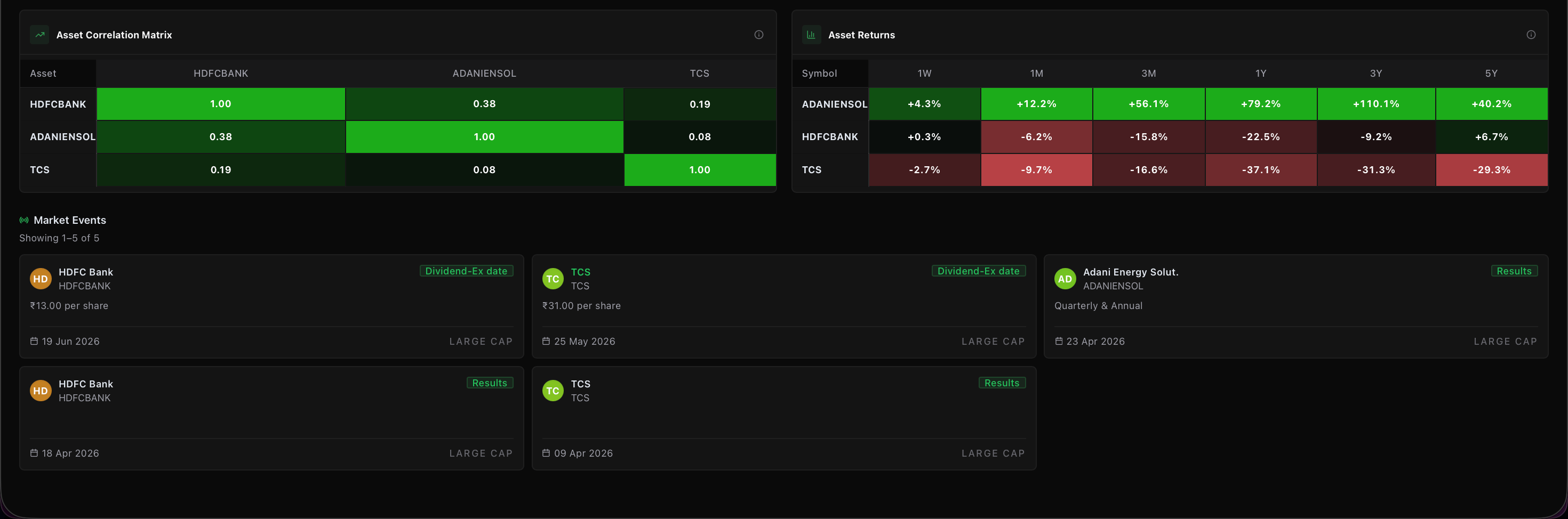
Export Your Data: Need to share these insights or save a snapshot of your portfolio’s health? Click the Report button in the top right corner of the dashboard to instantly download a comprehensive PDF report of your analytics.