> ## Documentation Index
> Fetch the complete documentation index at: https://kalpi.ai/docs/llms.txt
> Use this file to discover all available pages before exploring further.
# IPO Tracker
> Navigate the primary market pipeline, track live bidding interest, and analyze historical listing performance.
The **IPO Tracker** is a dedicated terminal for primary market intelligence. Instead of manually combing through exchange filings, this dashboard centralizes the entire public offering lifecycle—giving you clear visibility into upcoming filings, real-time subscription velocity, and day-one listing performance.
***
## Lifecycle Tracking
The primary market moves through distinct operational phases. Use the main navigation tabs at the top right of the dashboard to isolate companies based on their current issuance status.
*Click through the tabs below to explore the different data layouts for each market phase:*
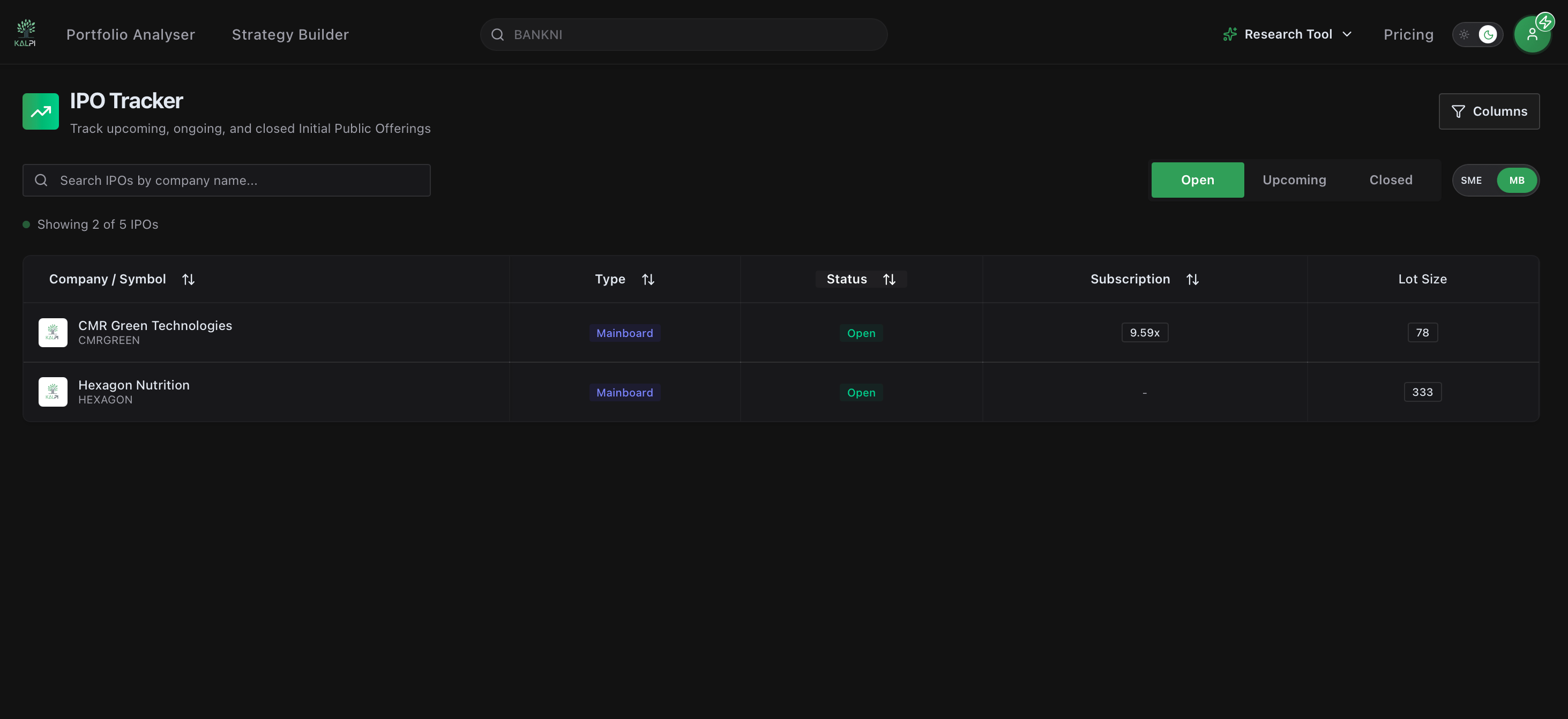
When an issue goes live for public bidding, the dashboard prioritizes immediate supply-demand dynamics.
 ### Key Data Focus:
* **Subscription Multiples:** Track real-time bidding intensity across institutional, non-institutional, and retail categories (e.g., **5.03x**).
* **Lot Size Requirements:** View the baseline application thresholds and minimum share commitments required to submit a valid bid.
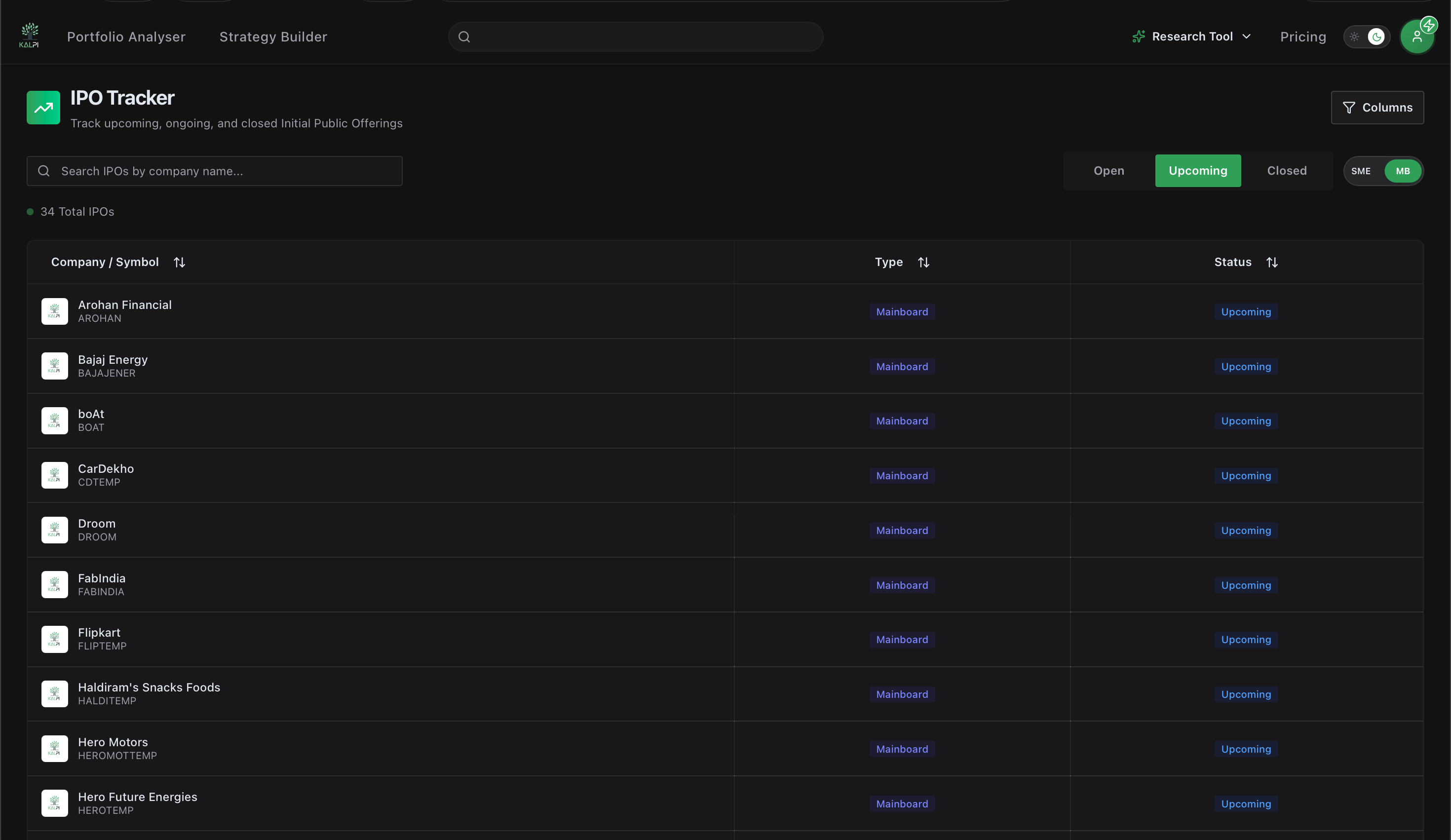
Stay ahead of market liquidity draws by tracking verified draft red herring prospectuses (DRHP) and upcoming public offer launch schedules.
### Key Data Focus:
* **Subscription Multiples:** Track real-time bidding intensity across institutional, non-institutional, and retail categories (e.g., **5.03x**).
* **Lot Size Requirements:** View the baseline application thresholds and minimum share commitments required to submit a valid bid.
Stay ahead of market liquidity draws by tracking verified draft red herring prospectuses (DRHP) and upcoming public offer launch schedules.
 ### Key Data Focus:
* **Pipeline Readiness:** View companies that have received regulatory clearance and are actively setting their floor price bands.
* **Advance Sizing:** Prepare capital allocation strategies by evaluating upcoming issuance sizes before the retail subscription windows open.
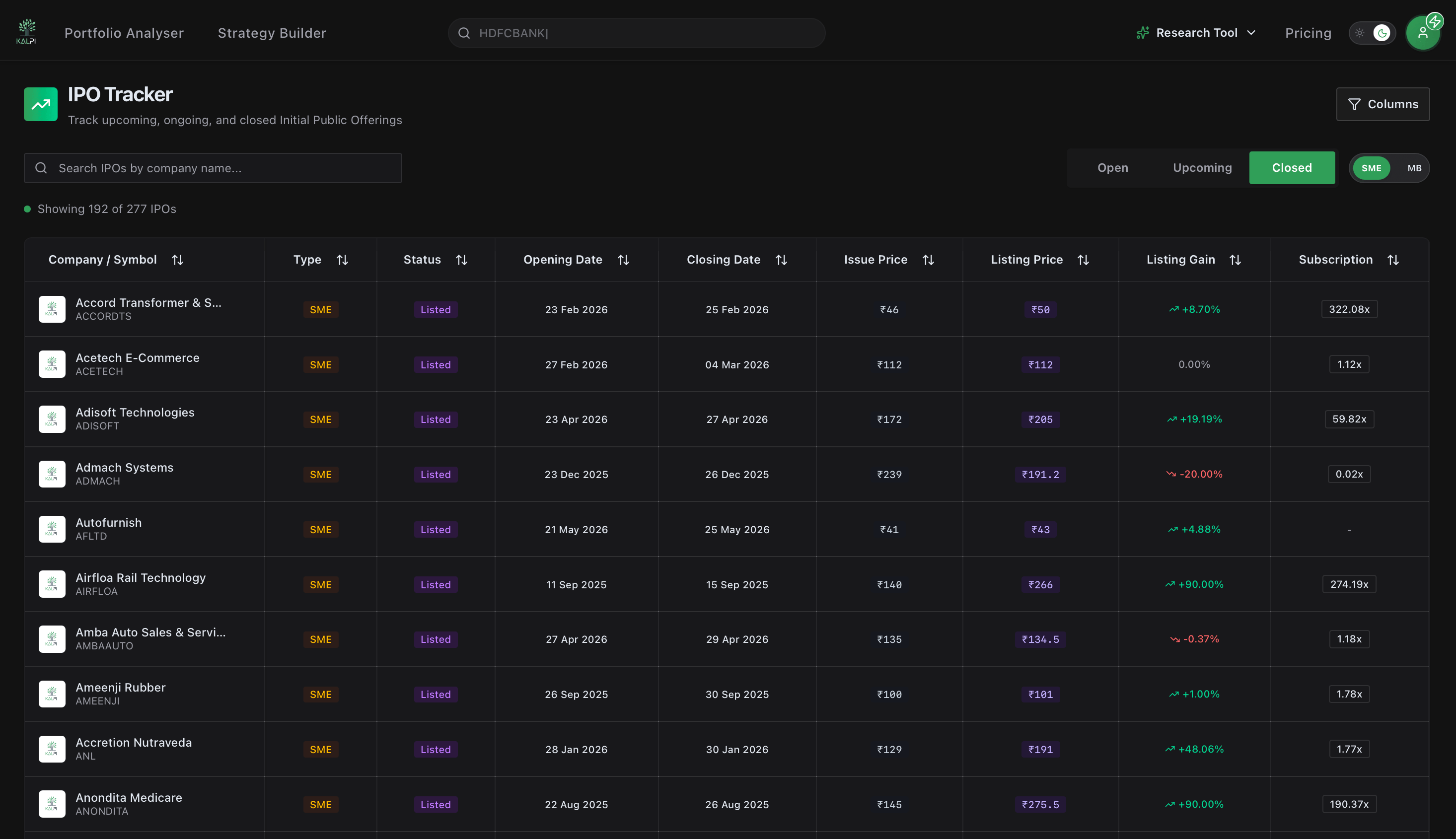
Once an IPO finishes allocation and begins secondary trading, it moves to the historical performance matrix to track absolute listing day returns.
### Key Data Focus:
* **Pipeline Readiness:** View companies that have received regulatory clearance and are actively setting their floor price bands.
* **Advance Sizing:** Prepare capital allocation strategies by evaluating upcoming issuance sizes before the retail subscription windows open.
Once an IPO finishes allocation and begins secondary trading, it moves to the historical performance matrix to track absolute listing day returns.
 ### Key Data Focus:
* **Listing Value Matrix:** Instantly cross-reference the official **Issue Price** directly against its secondary market **Listing Price**.
* **Listing Gain Momentum:** Identify opening alpha via color-coded blocks showing whether the stock opened at a massive premium (green block, e.g., **+10.10%**) or distributed at a discount (red block).
***
## Workspace Controls & Parameters
Understanding the core variables in the tracking matrix ensures you are analyzing the right capital parameters. We've defined the critical data fields below:
The verified exchange trading ticker and corporate name of the issuing entity.
Differentiates institutional public issues from small-and-medium enterprise offerings. Mainboard listings track large-cap issuances, while **SME** items (highlighted via distinct orange/yellow indicators) reveal micro-cap growth plays featuring higher initial lot size requirements.
Displays precise date tags for both **Opening Date** and **Closing Date** windows to mark the exact duration of the bidding market block.
Reflects the total book-building demand relative to the shares offered, serving as a clean metric for structural institutional interest.
## Custom Layout Filtering
The terminal features an adaptive configuration panel at the top right to instantly filter out market noise and customize your workspace:
### Key Data Focus:
* **Listing Value Matrix:** Instantly cross-reference the official **Issue Price** directly against its secondary market **Listing Price**.
* **Listing Gain Momentum:** Identify opening alpha via color-coded blocks showing whether the stock opened at a massive premium (green block, e.g., **+10.10%**) or distributed at a discount (red block).
***
## Workspace Controls & Parameters
Understanding the core variables in the tracking matrix ensures you are analyzing the right capital parameters. We've defined the critical data fields below:
The verified exchange trading ticker and corporate name of the issuing entity.
Differentiates institutional public issues from small-and-medium enterprise offerings. Mainboard listings track large-cap issuances, while **SME** items (highlighted via distinct orange/yellow indicators) reveal micro-cap growth plays featuring higher initial lot size requirements.
Displays precise date tags for both **Opening Date** and **Closing Date** windows to mark the exact duration of the bidding market block.
Reflects the total book-building demand relative to the shares offered, serving as a clean metric for structural institutional interest.
## Custom Layout Filtering
The terminal features an adaptive configuration panel at the top right to instantly filter out market noise and customize your workspace:
 * **Unified Input Search:** Query by specific company keywords or symbol tags to pull historic or impending registration filings immediately.
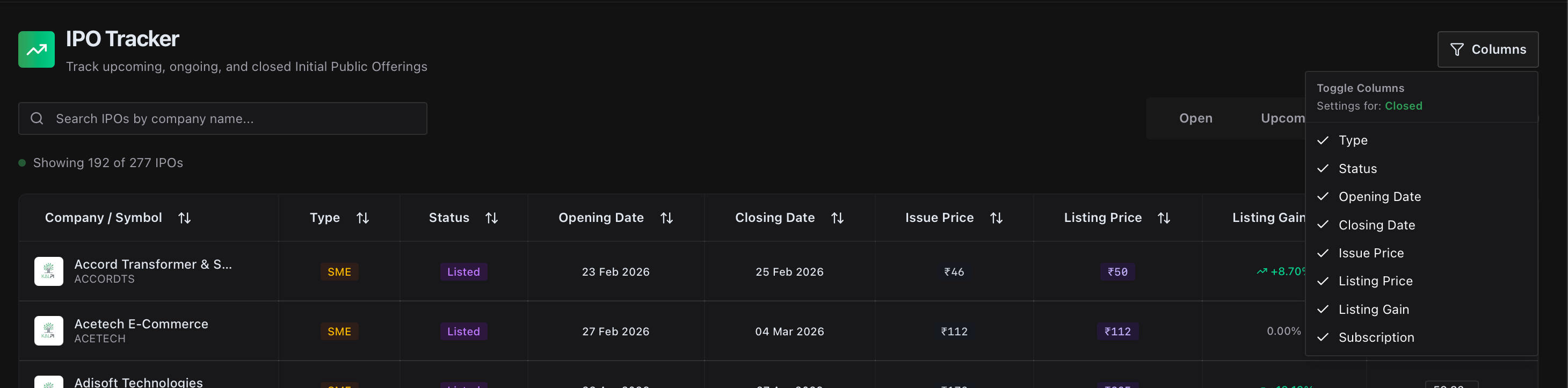
* **Context-Aware Grid Configuration:** Click the **Columns** utility button. The dropdown panel automatically recognizes which lifecycle tab you are actively viewing (Open, Upcoming, or Closed) and changes its available checkbox filters dynamically. This allows you to toggle off administrative indicators like absolute *Type* or *Status* to clear up screen real estate and lock your focus on pricing data.
* **Unified Input Search:** Query by specific company keywords or symbol tags to pull historic or impending registration filings immediately.
* **Context-Aware Grid Configuration:** Click the **Columns** utility button. The dropdown panel automatically recognizes which lifecycle tab you are actively viewing (Open, Upcoming, or Closed) and changes its available checkbox filters dynamically. This allows you to toggle off administrative indicators like absolute *Type* or *Status* to clear up screen real estate and lock your focus on pricing data.