> ## Documentation Index
> Fetch the complete documentation index at: https://kalpi.ai/docs/llms.txt
> Use this file to discover all available pages before exploring further.
# Static Baskets
> Manually construct fixed-composition portfolios by selecting individual stocks and assigning specific target weights.
While **Rule-Based Strategies** rely on algorithmic conditions to dynamically swap assets in and out, **Static Baskets** give you absolute manual control.
This builder is designed for investors who have high-conviction ideas, want to track a custom index of their own making, or simply want to mirror an existing external portfolio for deeper analytics. The composition of a static basket is fixed—meaning the assets inside will not automatically change unless you manually intervene.
## 1. Adding Stocks to Your Basket
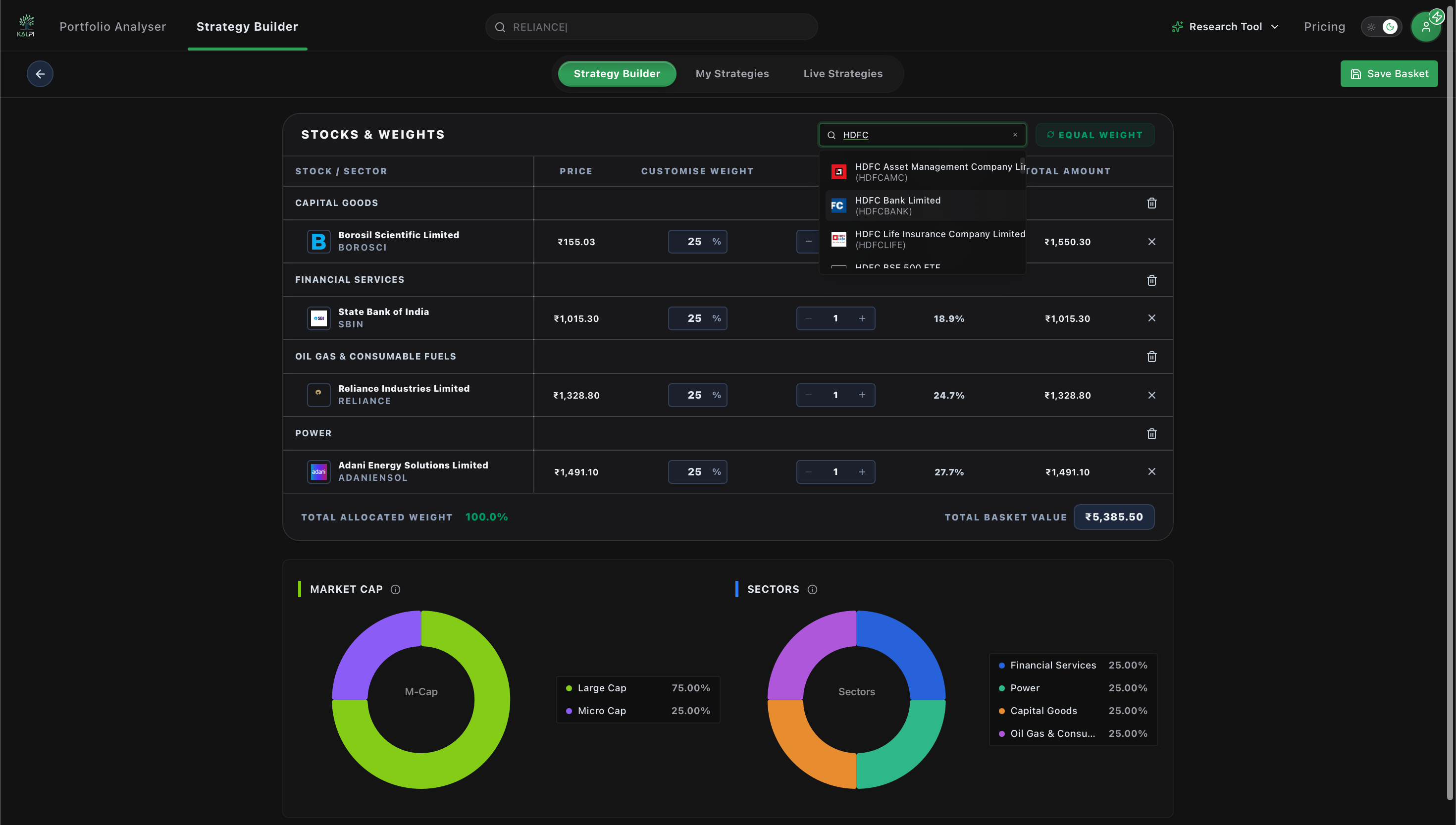
When you open the Static Basket builder, you will start with a blank "Stocks & Weights" canvas.
* Use the **Quick add stock** search bar at the top right to search for specific companies (e.g., Reliance, Adani, Vedanta).
* Select the desired stock from the dropdown menu to instantly add it to your portfolio list.
* As stocks are added, the interface displays their current price, your target weight, the required quantity, and the total real-time basket value.
 ## 2. Allocating Target Weights
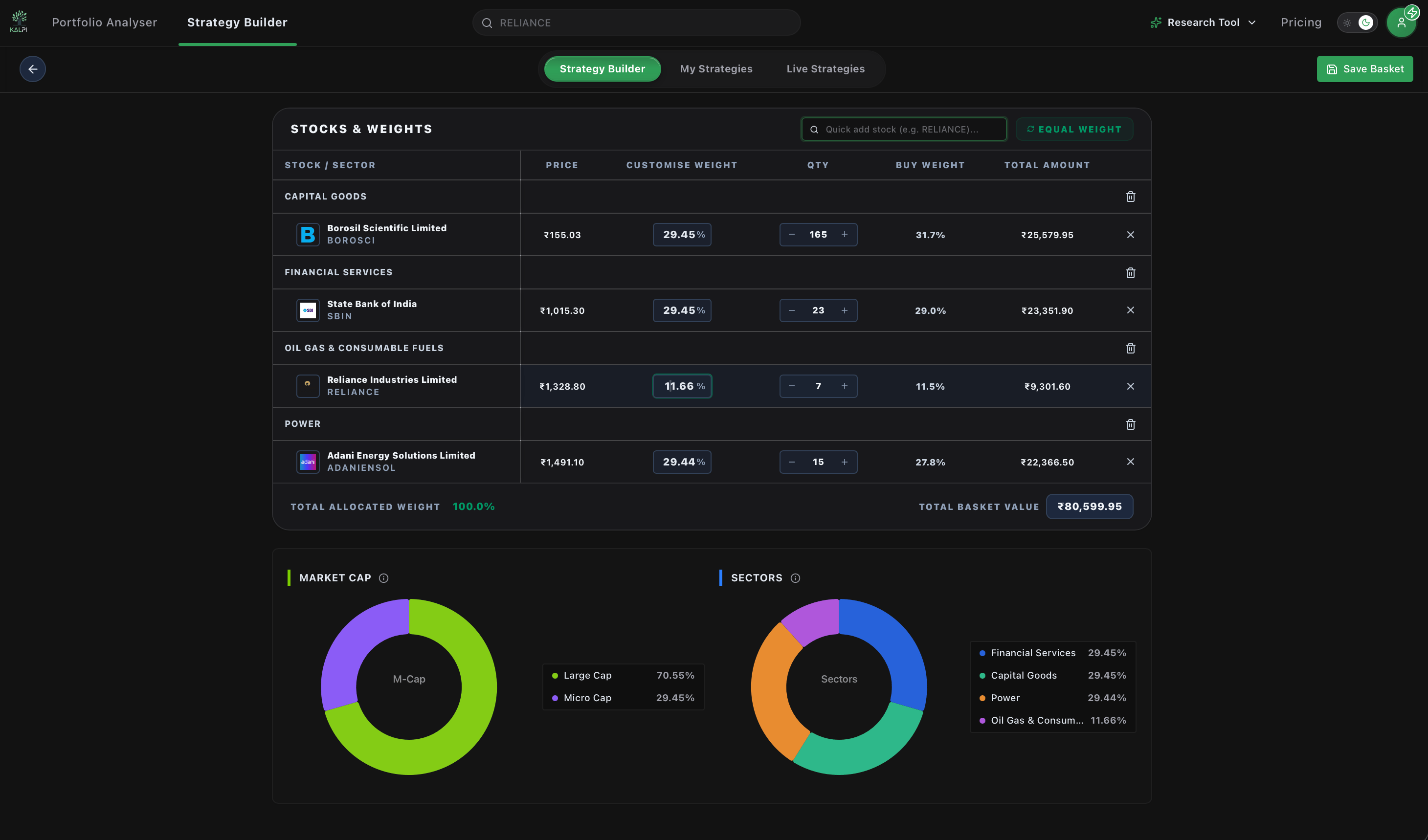
Once you have your desired stocks in the list, you must decide how your capital is distributed across them:
* **Custom Weights:** Manually adjust the "Customise Weight" percentage or the exact "Qty" (Quantity) fields for each individual stock. The system will automatically calculate the required capital for that line item.
* **Equal Weight:** Click the green **Equal Weight** button located at the top right. Kalpi will automatically distribute the weights evenly across all the assets in your basket (e.g., 33.33% each for 3 stocks) and display an "Equal weights applied" confirmation message.
## 2. Allocating Target Weights
Once you have your desired stocks in the list, you must decide how your capital is distributed across them:
* **Custom Weights:** Manually adjust the "Customise Weight" percentage or the exact "Qty" (Quantity) fields for each individual stock. The system will automatically calculate the required capital for that line item.
* **Equal Weight:** Click the green **Equal Weight** button located at the top right. Kalpi will automatically distribute the weights evenly across all the assets in your basket (e.g., 33.33% each for 3 stocks) and display an "Equal weights applied" confirmation message.
 ## 3. Monitoring Your Structural Exposure
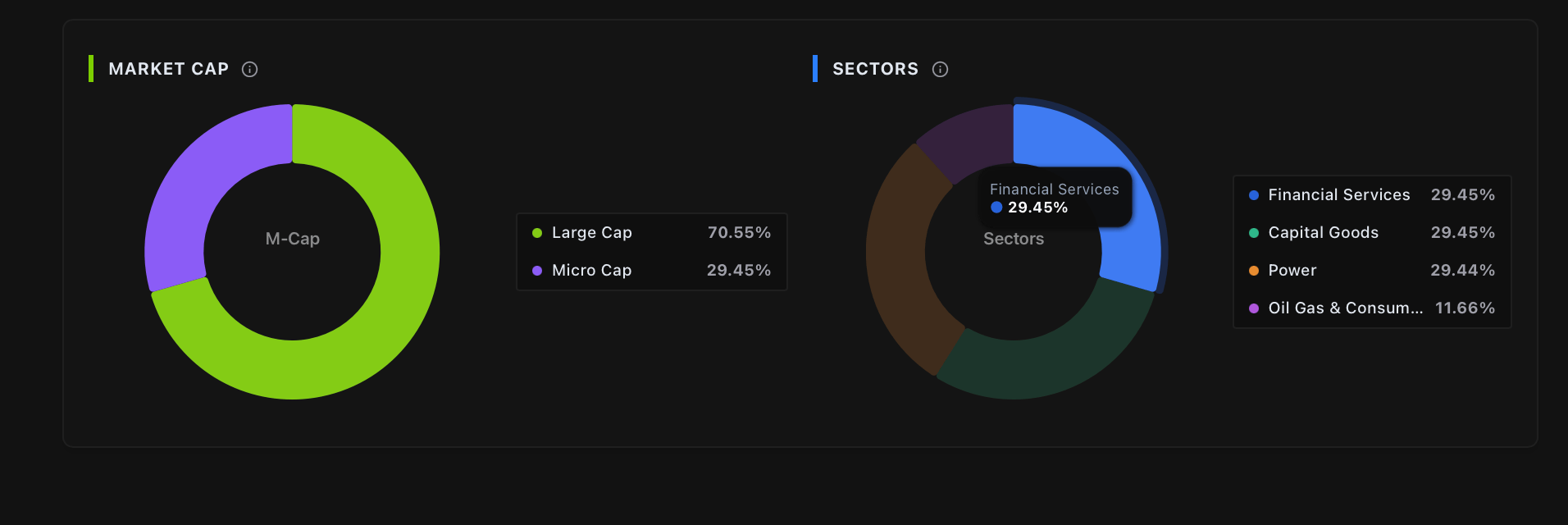
As you adjust your stock selection and target weights, Kalpi's engine provides real-time visual analytics at the bottom of the screen. This ensures you aren't unintentionally taking on concentrated risk before you deploy your capital.
* **Market Cap Distribution:** A donut chart displays your portfolio's exact exposure across different market capitalizations (e.g., Large Cap vs. Micro Cap).
* **Sector Allocation:** A separate donut chart breaks down your portfolio's exposure to different industry sectors (e.g., Power, Metals & Mining, Oil & Gas).
## 3. Monitoring Your Structural Exposure
As you adjust your stock selection and target weights, Kalpi's engine provides real-time visual analytics at the bottom of the screen. This ensures you aren't unintentionally taking on concentrated risk before you deploy your capital.
* **Market Cap Distribution:** A donut chart displays your portfolio's exact exposure across different market capitalizations (e.g., Large Cap vs. Micro Cap).
* **Sector Allocation:** A separate donut chart breaks down your portfolio's exposure to different industry sectors (e.g., Power, Metals & Mining, Oil & Gas).
 ## 4. Saving and Drift Management
Once your "Total Allocated Weight" reaches exactly **100.0%**, click the **Save Basket** button in the top right corner to finalize your portfolio.
**Understanding Target Weights vs. Drift:** Because this is a static basket, your target weights (e.g., 50% Reliance, 50% Adani) are structurally fixed. However, as the market moves, the actual value of those stocks will fluctuate, causing your portfolio's real-time weight to "drift" (e.g., it might become 55% Reliance, 45% Adani).
Kalpi tracks this drift automatically and will alert you when it is time to trigger a **Drift-Based Rebalance** to restore your original intended targets!
## 4. Saving and Drift Management
Once your "Total Allocated Weight" reaches exactly **100.0%**, click the **Save Basket** button in the top right corner to finalize your portfolio.
**Understanding Target Weights vs. Drift:** Because this is a static basket, your target weights (e.g., 50% Reliance, 50% Adani) are structurally fixed. However, as the market moves, the actual value of those stocks will fluctuate, causing your portfolio's real-time weight to "drift" (e.g., it might become 55% Reliance, 45% Adani).
Kalpi tracks this drift automatically and will alert you when it is time to trigger a **Drift-Based Rebalance** to restore your original intended targets!